
Recorder · free tool
Recorder tuner
A free recorder tuner that runs in your browser. Play the band's concert B♭ or any long note and the needle shows how sharp or flat you are, with the adjustment to make on your instrument.
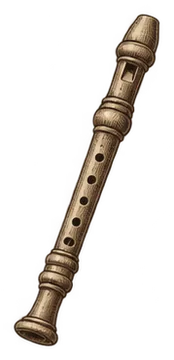
Loading the tuner…
The tuner listens through your microphone. The sound is analysed on your device; nothing is recorded or sent anywhere.
How to tune the recorder
Pull the head joint out slightly to lower the pitch. A recorder plays sharper the harder you blow, so use a gentle, steady breath when you check it.
Tuning note: school bands usually tune to concert B♭. Orchestras tune to A. Use the reference tone above to hear the note before you play it.
If the tuner says sharp: Pull the head joint out a little. If it says flat: Push the head joint back in and blow a little faster.
Steps
- Warm up for a few minutes so the instrument is at playing temperature.
- Press Start, allow the microphone, and play the tuning note at a medium volume.
- Start the note before you look at the needle, then read it.
- Adjust the head joint a little, play again, and repeat until the needle sits in the middle.
- Check two or three other notes, low and high, to see how the instrument behaves.
The fingering for every note is on the recorder fingering chart. For other instruments, use the main tuner.
Common questions
What note should recorder tune to?
In a school band, concert B♭. In an orchestra, concert A.
Why does my phone tuner show a different note?
Most tuner apps show concert pitch. The recorder reads at concert pitch, but it sounds an octave higher than written, which this tuner accounts for.
Is my sound recorded?
No. The tuner analyses the sound on your device while it runs and keeps nothing.
 Reading musicHow to Read MusicThe staff, clefs, key and time signatures, rhythm counting and the other marks in a band part, with one short line read and counted note by note.Read the guide →
 Reading chartsHow to Read a Fingering ChartWhat the circles, numbers and labels on a woodwind or brass chart mean, and how to turn a diagram into a note you can play.Read the guide →
Helpful for tuning
As an Amazon Associate we earn from qualifying purchases. These are paid links that search Amazon; prices are the same for you. Disclosure.