
Oboe · free tool
Oboe tuner
A free oboe tuner that runs in your browser. Play the band's concert B♭ or any long note and the needle shows how sharp or flat you are, with the adjustment to make on your instrument.
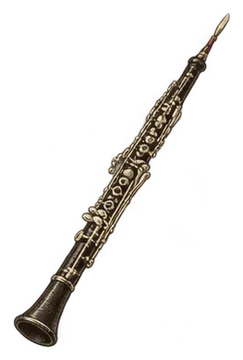
Loading the tuner…
The tuner listens through your microphone. The sound is analysed on your device; nothing is recorded or sent anywhere.
How to tune the oboe
The oboe has no tuning joint, so pitch comes mostly from the reed and the embouchure. A reed that plays sharp on its own may need adjusting by your teacher. In an orchestra the oboe gives the A that everyone else tunes to.
Tuning note: school bands usually tune to concert B♭. Orchestras tune to A. Use the reference tone above to hear the note before you play it.
If the tuner says sharp: Relax the lips and drop the jaw a little; pull the reed out a hair if it stays sharp. If it says flat: Push the reed all the way in and firm up the air.
Steps
- Warm up for a few minutes so the instrument and reed is at playing temperature.
- Press Start, allow the microphone, and play the tuning note at a medium volume.
- Start the note before you look at the needle, then read it.
- Adjust the reed a little, play again, and repeat until the needle sits in the middle.
- Check two or three other notes, low and high, to see how the instrument behaves.
The fingering for every note is on the oboe fingering chart. For other instruments, use the main tuner.
Common questions
What note should oboe tune to?
In a school band, concert B♭. In an orchestra, concert A.
Why does my phone tuner show a different note?
Most tuner apps show concert pitch. The oboe reads at concert pitch, so the notes match.
Is my sound recorded?
No. The tuner analyses the sound on your device while it runs and keeps nothing.
 Woodwind careHow to Clean a Clarinet, Flute and SaxophoneWhat to do after every practice, and which jobs to leave to a repair technician.Read the guide →
 TechniqueAlternate Fingerings: When the Chart's First Answer Isn't the Best OneMost notes have more than one fingering, and the right one depends on the notes around it, the tuning, and the sound you want.Read the guide →
Helpful for tuning
As an Amazon Associate we earn from qualifying purchases. These are paid links that search Amazon; prices are the same for you. Disclosure.